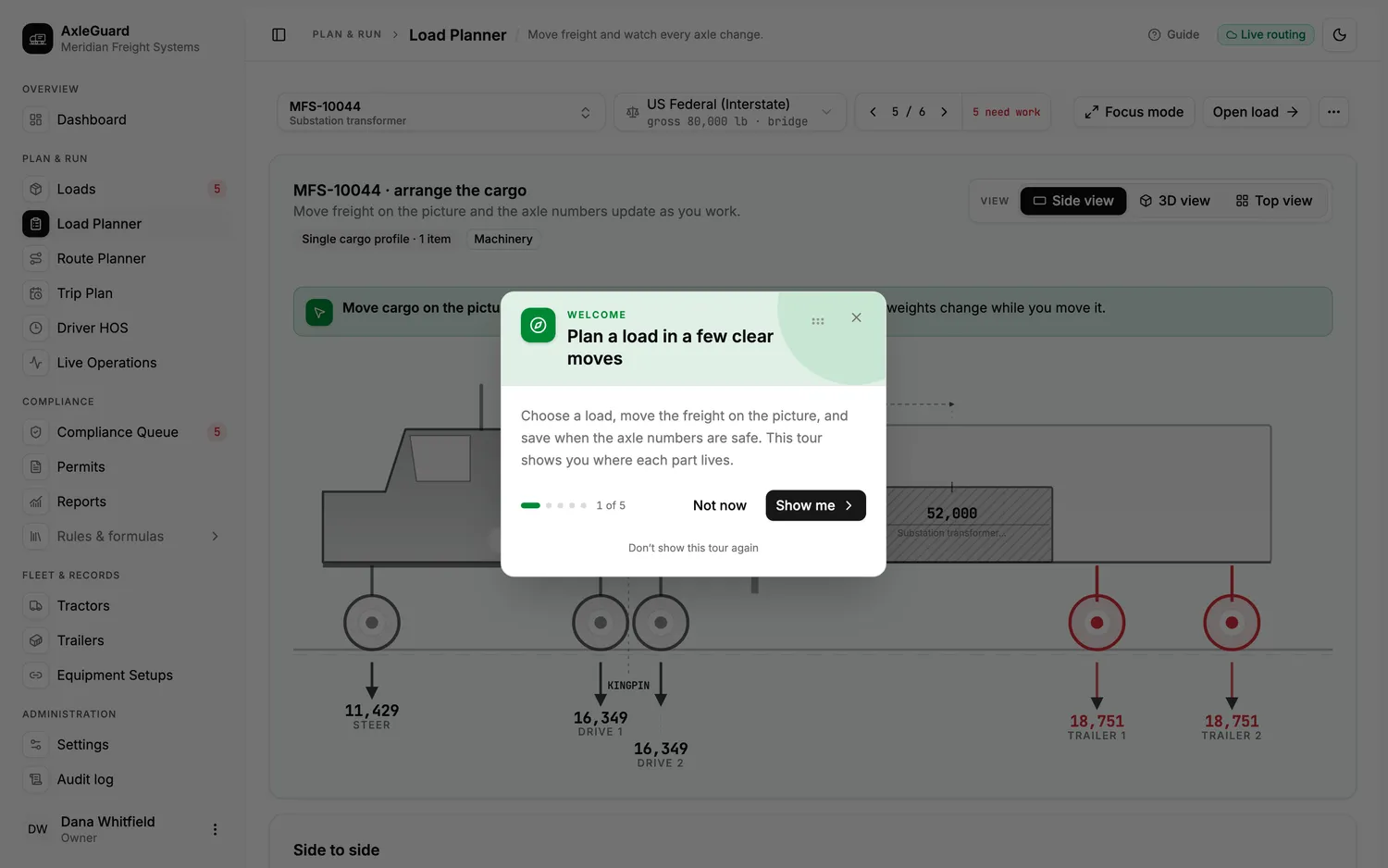
The warehouse optimizes only for cube
A trailer can fit every pallet and still overload an axle because heavy freight was loaded in the wrong sequence.
For shippers
Give the dock a loading order it can use, confirm the planned axle result and preserve what left the facility—without pretending that planning replaces the carrier’s final verification.
Where the current process breaks
A trailer can fit every pallet and still overload an axle because heavy freight was loaded in the wrong sequence.
The carrier receives a bill of lading but not the positions that created the axle result.
Adding, removing or swapping a pallet can invalidate a plan that was legal minutes earlier.
The workflow
Use item weights, dimensions and delivery order to build the deck plan.
Solve axle reactions and limits for the assigned tractor and trailer.
Show where each item belongs and what move fixes a failed group.
Send the carrier the final plan, assumptions and exceptions for verification.
What changes
No invented savings figure. These are the changes the workflow is designed to produce and the claims you can test during rollout.
A fit result is not accepted until the axle result is checked too.
Catch an overloaded group while a forklift can still change it.
Share positions, equipment and the planned verdict with the shipment.
Keep the difference between the first plan and the released load.
Drag the freight. Watch the axles move.
Solves where the weight actually sits, axle by axle.
Reusable freight records without turning every load into free text.
Give a customer the current plan without giving them the workspace.
Good fit when
Not what this page promises
Questions
The software documents the shipper's loading plan. The carrier still verifies the equipment, final weights and operating rules before movement.
Yes. The dock receives positions and corrective moves. The underlying rule and arithmetic remain available to the planner and reviewer.
The integration layer can receive item and shipment records, subject to the fields and workflow available in the existing system.
Evaluate it with evidence
Keep the process you use today beside it. Resolve every disagreement before the result is used operationally.