Skip to content
AxleGuard
Demo

Platform

Enter the business fact once. Use it with context.

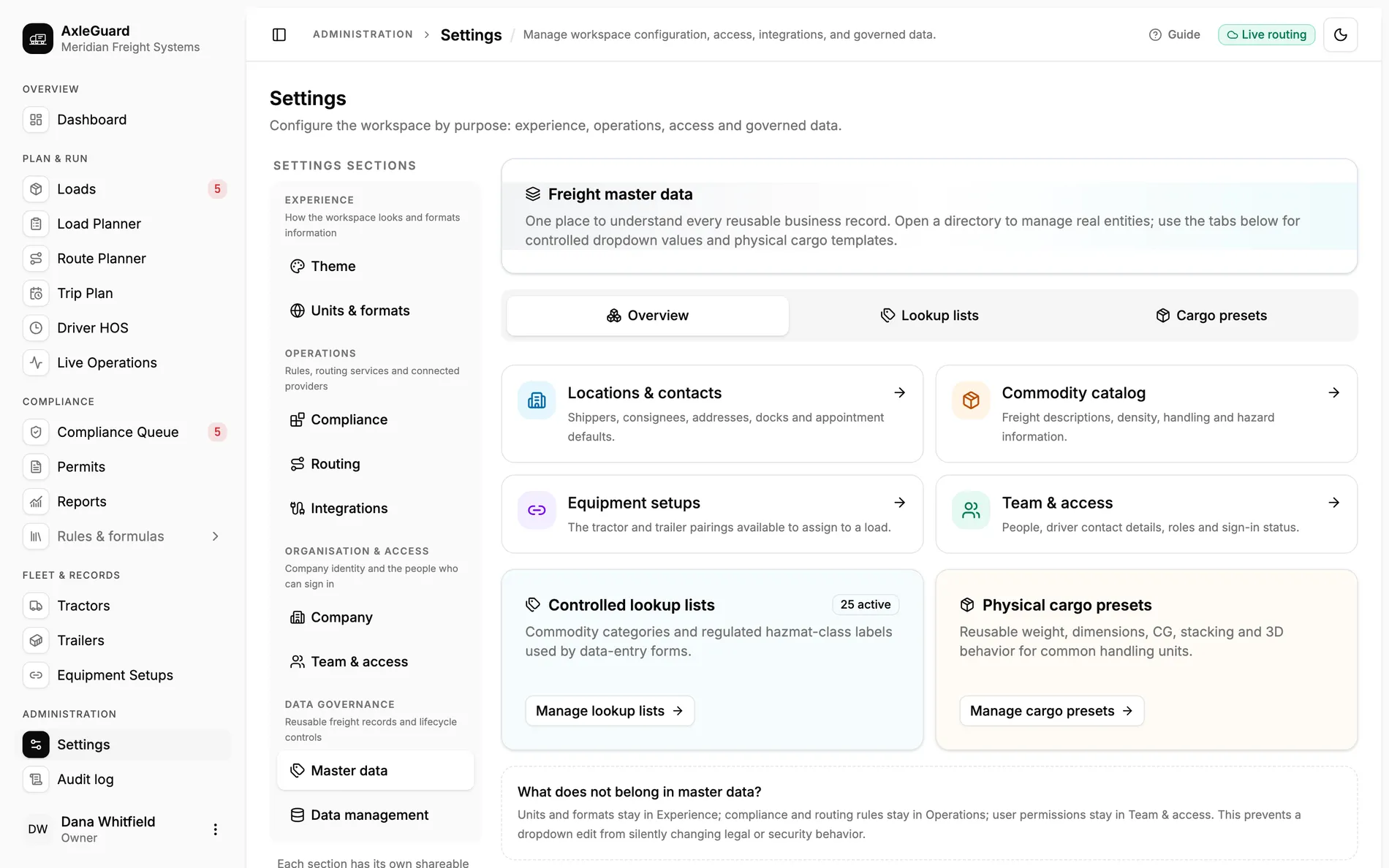
AxleGuard keeps controlled lookups, physical cargo presets, locations, contacts and commodities in one governed area. A planner can reuse dock hours, coordinates, divisibility, density, hazard class and centre-of-gravity defaults while the load still carries its actual values.

Governed areas
6
locations, commodities, equipment, people, lookups, presets
Location roles
3
shipper, consignee or both
Permit signal
Divisibility
kept as a visible commodity rule

In the product

The screen where this work happens.

Open AxleGuard
The master-data overview linking locations, commodities, equipment, people, controlled lookups and physical cargo presets.

What changes

Three outcomes that matter in the operation.

Each outcome connects what the software does to the decision a planner, loader or driver can actually make.

01

A location is more than an address string

Shippers and consignees can carry coordinates, timezone, dock hours, appointment rules and contacts. Selecting one fills the load and suggests an operating window.

Why this is different

Re-typing the same facility creates small spelling and timezone differences that break routing, reporting and appointments later.

02

Divisibility becomes an operating rule

Commodity records keep the category, density, centre-of-gravity default, hazard class and whether the freight can be split.

Why this is different

That last flag changes an overweight answer. Divisible freight may need redistribution; a non-divisible item may need permit review.

03

Presets help entry without replacing actual freight

Physical cargo presets supply common weight, dimensions, centre of gravity, stacking and 3D behaviour to a new item.

Why this is different

A reusable starting point is faster than free text. Keeping the resulting item editable prevents the default from pretending to be a measured fact.

How it works

From input to answer.

The logic is visible. There is no “AI decided” step between the load and the verdict.

Important boundary

Master data supplies governed defaults. It does not turn a catalog weight, dimension or hazard label into the actual fact for a specific shipment; the load record must still be verified.

  1. 01

    Create the governed record

    An owner or permitted user enters the reusable business fact once.

  2. 02

    Select it on the load

    The relevant fields fill without copying an uncontrolled text block.

  3. 03

    Use the actual values

    The load item keeps its own measured weight, dimensions and operating dates.

  4. 04

    Keep the source auditable

    Changes to the shared record stay visible in the audit history.

Where to test it

Hard cases worth checking.

  • One facility acting as both shipper and consignee.
  • A dock window in a different timezone from dispatch.
  • A commodity default overridden by the actual bill of lading.
  • A non-divisible flag sending an overweight result toward permit review.